
Tools: install or build your own
Install ready-made tools or connect any HTTP API as a tool.
Tools let the AI do things, not just talk: search the web, generate images, check the weather, or call your own API. Install ready-made tools from the store, or connect any HTTP API yourself.
The Tools sidebar
Open Tools in the left icon bar. It has two sections:
- Store - Tools (Browse and install tools) and MCP Connector (Browse and install MCP connectors).
- Installed - Tools (View installed tools) and MCP Connector (View installed MCP connectors).
Installed → Tools opens Your Tools. All the ready-made tools are already there.
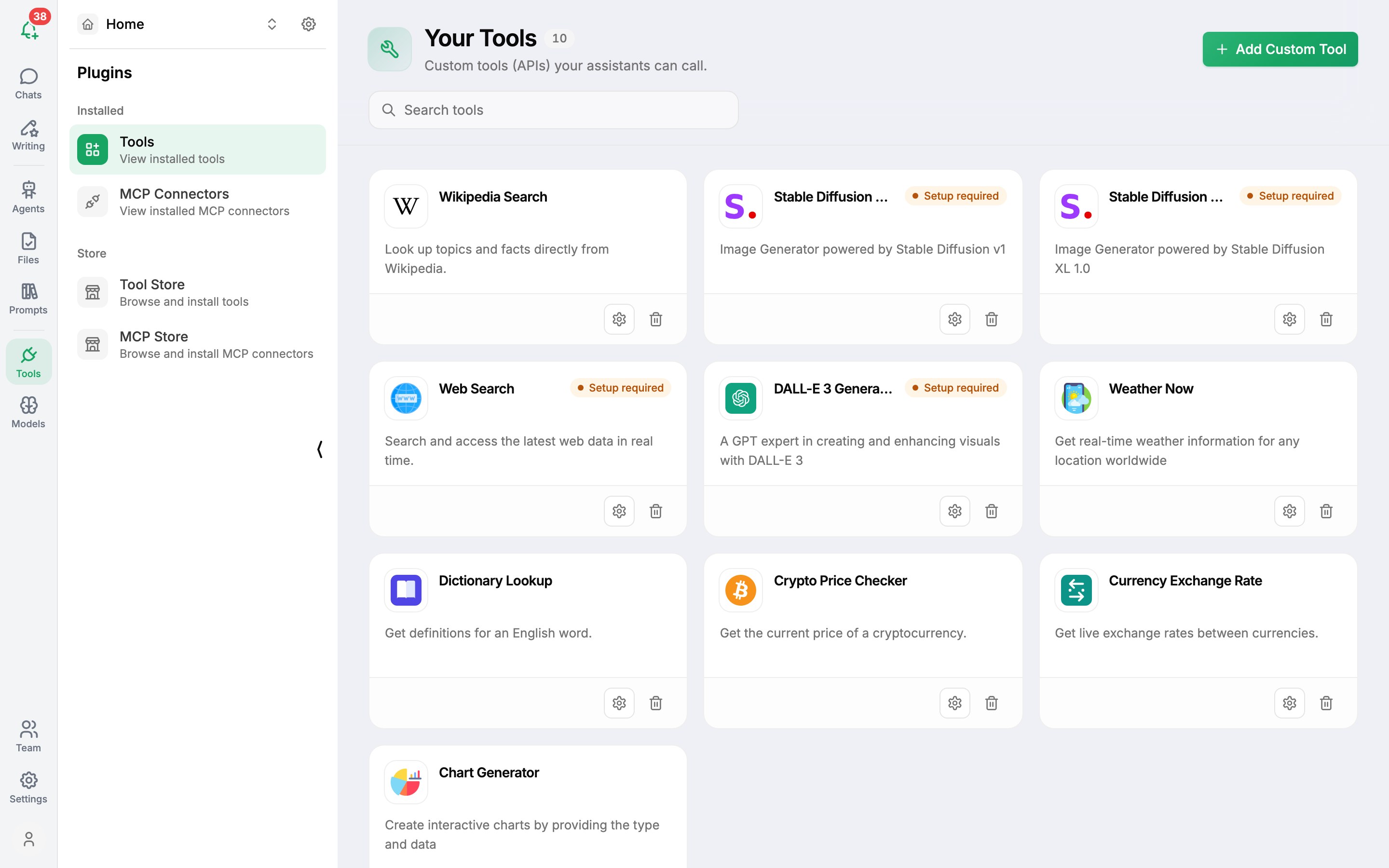
Ready-made tools
| Category | Tools |
|---|---|
| Common | Web Search, Wikipedia Search, Dictionary Lookup |
| Image Generator | DALL-E 3, Stable Diffusion XL 1.0, Stable Diffusion v1 |
| Utilities | Chart Generator, Weather Now, Currency Exchange Rate, Crypto Price Checker |
Tools that need a key show Setup required. Click the tool's settings (gear) button and enter the key - see Search the web and Create images. Remove a tool you don't need with its delete (red) button, and reinstall it from Store → Tools later.
Use a tool in a chat
Type ! in the message box, or click Tools under it, and pick the tool. It's listed under Selected Tools for this chat. The AI decides when to call it based on your question.
Connect your own API
Turn any HTTP API into a tool - your CRM, an internal service, a public data API.
- In Tools → Installed → Tools, click + Add Custom Tool.
- Fill in the Metadata: Name, Description and an optional Icon URL. The description matters - the AI reads it to decide when to use the tool.
- Under Configuration, set the base URL (for example
https://api.example.com) and add one or more operations:- GET (Path Parameters) or POST (JSON Body)
- the path, such as
/v1/resource - an operation_id and a description of what it does
- Add any Headers your API needs, such as an
Authorizationheader. - Check the generated Schema in Preview, then save.
For services that support the Model Context Protocol, an MCP connector is usually quicker to set up.
Was this article helpful?